
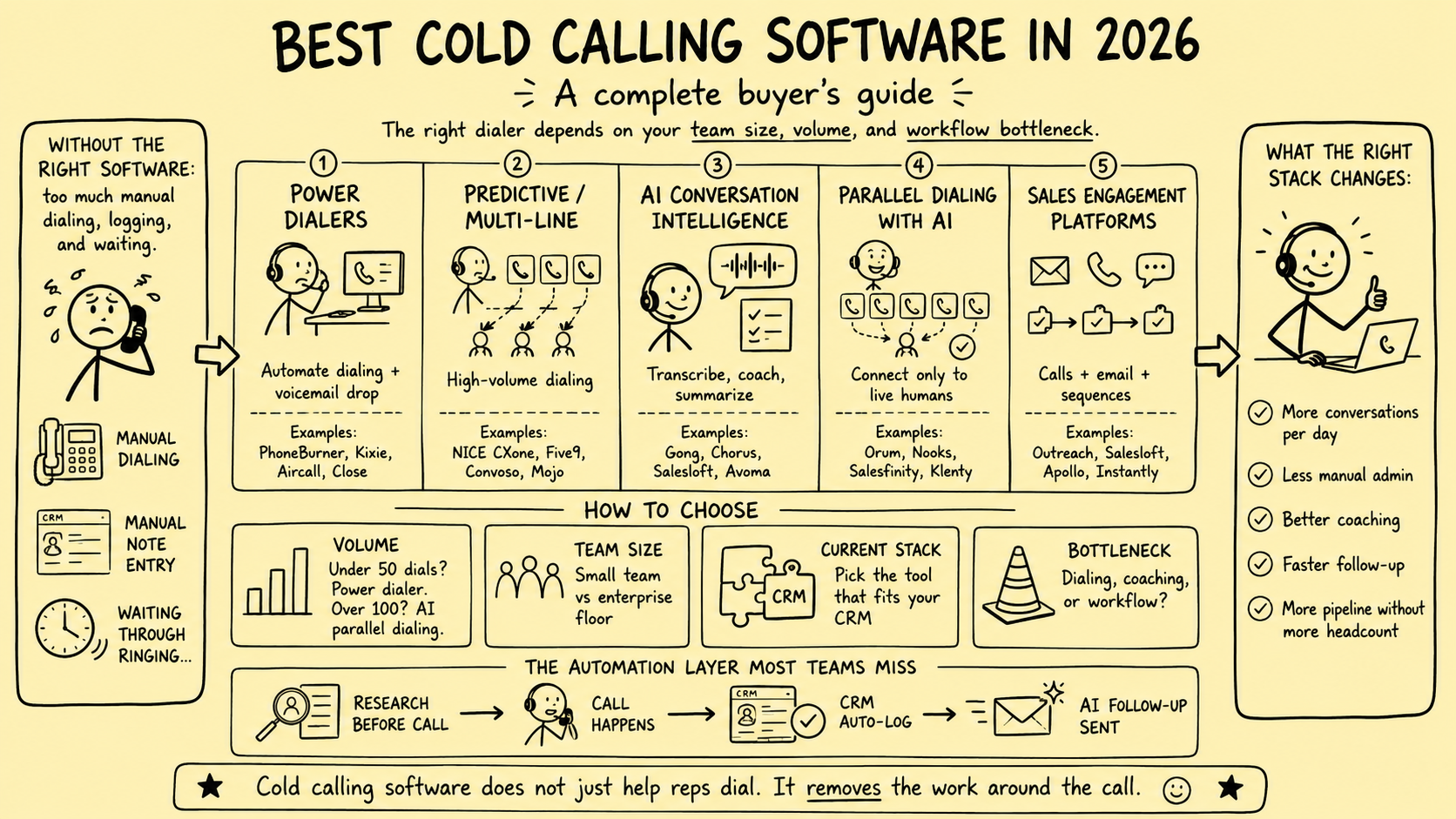
A business broker does not need the software with the loudest productivity claim. The brokerage needs a calling system that supports a defined buyer or seller workflow, applies its approved rules, preserves relationship context, and produces records the team can trust.
This article previously ranked named vendors, repeated time-sensitive prices and feature claims, and presented unsupported conversation-rate improvements. Those claims were removed. Vendor capabilities, contracts, integrations, and prices change; a useful buying decision must come from the brokerage’s requirements and a controlled evaluation.
Direct answer: Define the calling use case first. Then evaluate consent and suppression controls, caller identity, recording and AI behavior, CRM ownership, security, reporting, human review, and export. Do not select a platform from a generic ranking or an unverified throughput promise.
This is an operating framework, not legal advice. Telemarketing, privacy, call-recording, professional, consumer-protection, and communications rules differ by country, state, recipient, number type, technology, and purpose. Have qualified counsel review the actual program and vendor configuration.
Separate the calling use cases
“We need a dialer” is not a complete requirement. A brokerage may have several workflows with different risk and context:
| Use case | Operating purpose | Context the caller needs | Primary control question |
|---|---|---|---|
| Seller sourcing | Start a relevant conversation with a potential owner | Source, eligibility, prior contact, exclusions, and approved message | Is this person and number eligible for this call and method? |
| Buyer qualification | Confirm criteria, readiness, authority, and next steps | Buyer profile, confidentiality status, mandate fit, and prior decisions | Is the caller using the current approved buyer record? |
| Buyer follow-up | Progress a specific opportunity or requested action | Deal permissions, documents, timeline, tasks, and ownership | Does the follow-up respect access and confidentiality limits? |
| Seller follow-up | Continue an established owner conversation | Engagement status, stakeholders, notes, and agreed next step | Is the relationship owner and communication record clear? |
| Live deal communication | Coordinate an active transaction | Authorized parties, stage, open items, and professional roles | Should this call be handled outside a marketing workflow? |
Do not place every phone activity into one high-volume queue. Prospecting, relationship follow-up, and confidential deal communication should have distinct permissions, fields, scripts, and reporting.
Build the control matrix before the shortlist
The tool should implement an approved policy; it should not become the policy.
Document each combination of market, audience, number type, call purpose, and dialing mode. Include manual live calls, click-to-call, power dialing, predictive or parallel dialing, prerecorded messages, artificial voice, SMS follow-up, recording, transcription, and AI assistance where relevant.
For each combination, record:
- The approved legal and operational basis
- Required consent or other evidence
- Suppression lists and prior objections to check
- Permitted calling times and frequency rules
- Caller identity and number-display requirements
- Recording, transcription, disclosure, and consent settings
- Pacing, abandonment, voicemail, and prerecorded-message rules
- Required records and retention period
- Human owner, escalation path, and review date
The Federal Trade Commission’s Telemarketing Sales Rule guide explains that federal and state requirements can overlap. It also describes caller-identification, recordkeeping, calling-time, do-not-call, and predictive-dialer provisions. Its business-to-business treatment is not a blanket exemption: scope and special provisions depend on the call and offer, and the FTC’s current guidance addresses deceptive practices in business-to-business telemarketing.
The Federal Communications Commission’s FCC 24-84 order discusses TCPA restrictions for certain artificial or prerecorded voice calls and autodialed calls to covered numbers, subject to consent and statutory exceptions. The technology label used by a vendor does not decide whether a specific workflow is permitted.
For UK activity, the Information Commissioner’s Office business-to-business marketing guidance covers PECR rules for live and automated marketing calls, TPS and CTPS screening, prior objections, caller identification, and UK GDPR where personal data is processed.
Evaluate the system in eight areas
1. Eligibility, consent, and suppression
The calling screen should show why the record is eligible, where the number came from, which jurisdiction and recipient type apply, and when the decision was last reviewed. If the workflow requires consent or another approved basis, retain the evidence and scope rather than a simple yes-or-no field.
Suppression should be centralized across campaigns, users, numbers, mailboxes, contractors, and replacement tools. Test whether an objection, wrong-party report, revoked consent, internal conflict, or do-not-call request stops every relevant workflow promptly.
2. Dialing mode and caller identity
Ask the vendor to demonstrate exactly how each mode places calls. Marketing labels such as “AI dialer,” “parallel dialer,” or “local presence” do not explain pacing, number selection, human connection timing, abandonment, or disclosure.
Verify:
- The caller identity presented to the recipient
- Ownership and reputation of displayed numbers
- Number rotation and replacement rules
- Pacing and abandonment configuration
- What happens when several people answer
- Voicemail detection and message behavior
- Controls by user, campaign, region, and time zone
- Logs that prove which configuration was active
Do not assume that a vendor setting transfers responsibility away from the brokerage.
3. Recording, transcription, and AI
Recording and transcription can improve continuity, but they can also capture personal, financial, health, employment, or confidential transaction information. Requirements differ across jurisdictions and call types.
The platform should support configurable notices and consent flows, pause or redaction where appropriate, role-based access, retention and deletion rules, export, and an auditable record of the policy applied to each call.
Treat AI summaries, suggested dispositions, qualification scores, and coaching prompts as drafts. Test them for omissions, incorrect parties, invented commitments, and mishandled confidential details. A qualified person should approve material CRM updates and transaction decisions.
4. CRM ownership and data integrity
Decide which system owns each field before integration. At minimum, define ownership for:
- Contact and company identity
- Number source and provenance
- Jurisdiction and recipient classification
- Consent or approved-basis evidence
- Suppression and objection status
- Relationship owner and conflict flags
- Call outcome, notes, next step, and task
- Recording or transcript link and access level
Test duplicate records, simultaneous edits, retry behavior, partial failures, deleted contacts, reassignment, and API limits. A successful demo is not evidence that production synchronization will remain complete and ordered.
5. Security and vendor governance
Review authentication, multifactor support, least-privilege roles, audit logs, encryption, subprocessors, data locations, incident notification, support access, retention, deletion, backup, and contract terms. Confirm whether customer data, recordings, transcripts, or prompts are used to train vendor models and what controls apply.
Brokerage administrators should be able to disable users promptly, restrict exports, separate teams or deals, review configuration changes, and retrieve logs without vendor assistance.
6. Workflow and human handoffs
The platform should make the next responsible action easier without erasing judgment. Define what happens after no answer, voicemail, live connection, wrong party, objection, opt-out, referral, qualified interest, or sensitive disclosure.
Every state needs a named owner, permitted follow-up, due date, and stop condition. High-volume calling is counterproductive if promising conversations enter an unowned queue or confidential details are copied into a broad workspace.
7. Reporting and evidence
Avoid treating dials per hour as the buying metric. Track the whole controlled workflow:
| Measure | What it helps evaluate |
|---|---|
| Eligible records loaded | Audience and policy adherence |
| Suppressed or excluded records | Whether controls act before dialing |
| Attempts and successful connections | Operational reach without implying quality |
| Wrong-party and invalid-number events | Data quality and identity risk |
| Opt-outs, objections, and complaints | Relevance, permission, frequency, and brand risk |
| Qualified conversations | Fit against documented buyer or seller criteria |
| Accepted next steps | Whether calls create an agreed action |
| CRM write failures and duplicates | Integration reliability |
| Recording or disclosure exceptions | Policy and configuration failures |
| Human review time | The real workload created by automation |
Do not attribute signed engagements or completed deals to the dialer without a defensible attribution method. Relationships, referrals, brand, timing, market conditions, service quality, and other channels may contribute.
8. Portability and exit
Before signing, confirm that the brokerage can export contacts, source evidence, consent and suppression data, call events, outcomes, notes, tasks, recordings, transcripts, users, configuration, and audit history in usable formats. Document deletion after termination and how numbers can be ported or retired.
A tool that cannot be exited cleanly can become the weakest point in pipeline continuity.
Run a controlled evaluation
Use a requirements scorecard instead of a vendor leaderboard. Weight mandatory controls separately from convenience features and reject any product that fails a non-negotiable requirement.
- Map the current workflow and failure points.
- Approve the control matrix with the responsible operational, legal, security, and relationship owners.
- Create test records covering suppression, duplicates, wrong numbers, time zones, recording settings, permissions, and CRM failures.
- Ask each vendor to demonstrate the same scenarios and provide written answers for unresolved items.
- Configure a sandbox or isolated test workspace before connecting production data.
- Run test calls to controlled numbers and inspect the complete event trail.
- If approved, use a small eligible cohort that the team can monitor and serve.
- Compare accuracy, control failures, user workload, qualified progression, negative signals, and total cost.
- Document the decision, residual risks, accountable owner, and review date.
Do not expand because the platform generated more attempts. Expand only when records are accurate, suppression works, calls are handled responsibly, exceptions are visible, and the team can follow through.
Questions to put in the request for proposal
- Which dialing modes are available, and how does each behave technically?
- Can modes, regions, time windows, numbers, recording, and AI features be restricted centrally?
- How are consent evidence, prior objections, and internal suppression synchronized and audited?
- What happens during simultaneous answers, abandoned calls, carrier blocking, and integration failures?
- Which fields can be written to the CRM, by whom, and with what retry and deduplication behavior?
- Where are recordings, transcripts, and prompts stored, processed, backed up, and deleted?
- Are customer inputs or outputs used for model training?
- Which subprocessors and support personnel can access data?
- Can the brokerage export every material record and port its numbers at exit?
- Which claims will the vendor put into the contract or security documentation?
The practical conclusion
The best calling software for a business broker is not a permanent product ranking. It is the platform that passes the brokerage’s documented requirements for its actual buyer, seller, and deal workflows.
Start with policy and use cases. Test the exact dialing behavior. Keep suppression and relationship context under brokerage control. Treat AI output as a draft. Measure qualified progression and negative signals together. Preserve a clean exit.
To apply this framework, review broker growth and pipeline operations or request a Business Broker Pipeline & Operations Assessment.
Frequently Asked Questions
What is the best calling software for a business broker?
There is no universal winner. The best fit depends on the approved calling use case, jurisdictions, CRM, team size, consent and suppression requirements, recording policy, integration depth, data controls, and evidence from a controlled trial.
Should a brokerage use a power or predictive dialer?
Choose only after counsel and an authorized owner review the exact mode, audience, numbers, jurisdiction, consent status, pacing, abandonment controls, and vendor behavior. Higher dialing capacity is not automatically a better or compliant operating model.
Can business-broker calls be recorded and transcribed?
Recording, transcription, disclosure, consent, retention, and access requirements vary. Configure the system for each approved jurisdiction and call type, restrict sensitive data, and obtain qualified legal guidance before enabling these features.
What should the CRM own when calling software is connected?
The brokerage should define a durable system of record for contact identity, source, consent or approved basis, suppression, call outcome, notes, tasks, and relationship ownership. Test deduplication, retries, field mapping, and export before launch.
How should a brokerage test calling software?
Use test records first, then a small approved cohort. Verify caller identity, suppression, recording behavior, CRM writes, failure handling, access controls, reporting, exports, and human review before considering broader use.
Sources and evidence notes
Primary or first-party materials reviewed for this article. Scope and limitations are stated rather than silently generalized.
- Complying with the Telemarketing Sales RuleU.S. Federal Trade Commission · Accessed
Official U.S. guidance on the Telemarketing Sales Rule, including calling restrictions, caller identification, recordkeeping, predictive-dialer abandonment controls, and the limits of business-to-business exemptions.
- Report and Order, FCC 24-84U.S. Federal Communications Commission · Accessed
Official FCC order describing TCPA restrictions on certain artificial or prerecorded voice calls and autodialed calls to covered numbers, subject to consent and statutory exceptions.
- Business-to-business marketingUK Information Commissioner’s Office · Accessed
Official UK guidance on PECR and data-protection requirements for live and automated business-to-business marketing calls, suppression, caller identification, and personal data.
Brokerage data stays governed. Material deal decisions stay human.
We design business broker systems around least-privilege access, documented data flows, protected credentials, traceable activity, and approval gates. Systemify does not use client information to train its own models. When a workflow uses an external AI provider, its purpose, data fields, and retention approach are documented and approved before client data is transferred.
Apply this to your brokerage
We can assess your buyer and seller pipeline, valuation and vetting workflows, communications, documents, controls, and handoffs before recommending what to build.
Talk to a Broker Systems Expert